Olliz
Designing an AI-powered marketing platform that transforms ideas into campaigns.
4
Core product surfaces
2
Validation tests
Soon
Public launch
Overview
Olliz is an AI-powered marketing platform that simplifies the whole content workflow, from finding an idea to generating, editing, and publishing it. As lead product designer I shaped the product from concept to launch across strategy, research, AI experience, and the design system. The hard part was never generation itself; it was designing where AI helps and where the user stays in charge.
The Challenge
Marketing workflows are fragmented across tools. Finding inspiration, writing, managing brand assets, scheduling, and tracking each live somewhere else. So a single campaign means switching apps five times, and staying on-brand means hunting for files before any work begins.
Design Decisions
Three decisions shaped how AI shows up in the product. Each one gives users a place to start without taking the work out of their hands. Every AI result stays editable, and nothing is final until a person says so.
Decision 01
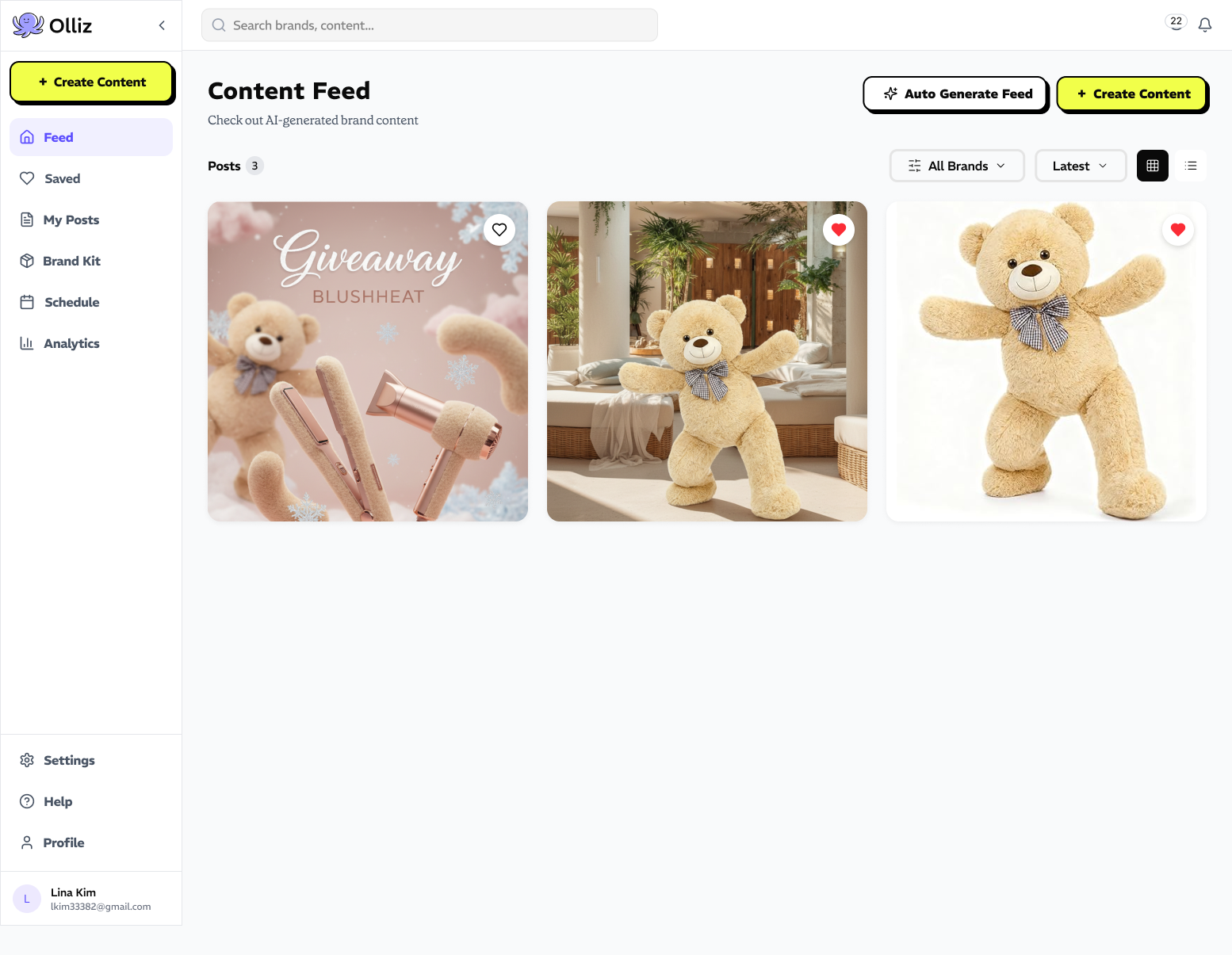
AI Feed
Users stalled when the product opened on an empty composer. The hardest part was deciding what to make, not making it.
So the product opens on a personalized feed of ideas drawn from the user's brand and past campaigns. The first screen offers a starting point instead of a blank field, and any card can become a full piece in one action.
Decision 02
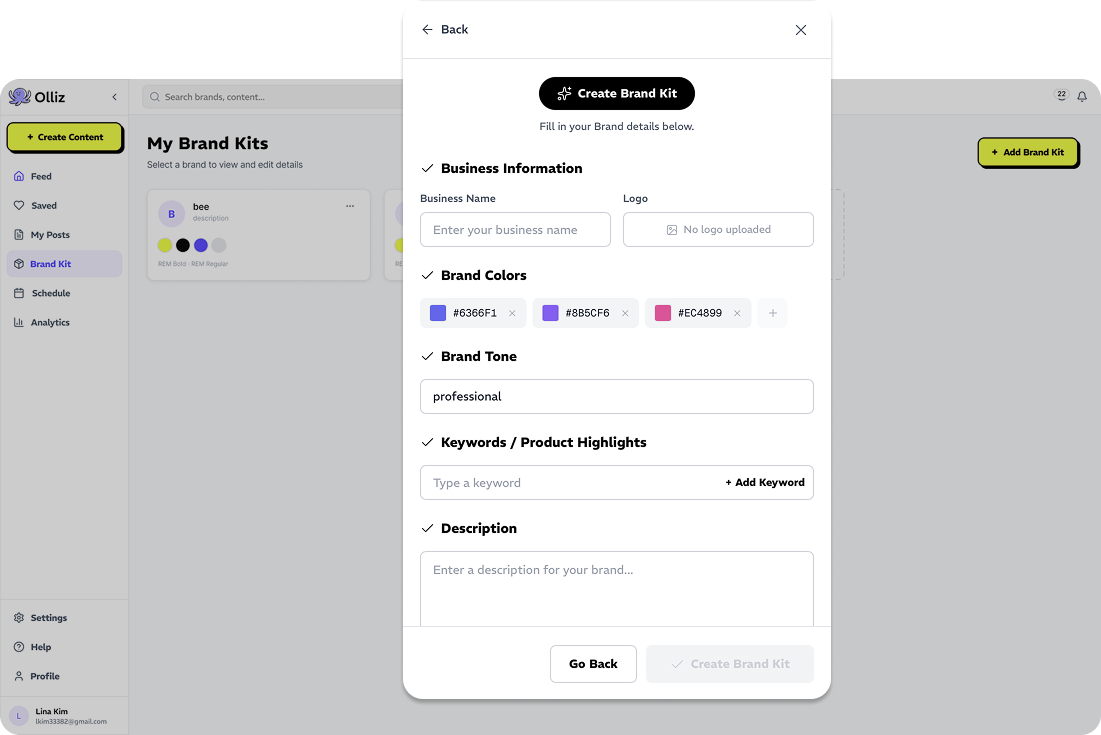
Brand Kit
Generic input produced generic output. Without brand context, AI made work users had to rewrite, which erased the time it saved.
Brand Kit stores logos, palette, typography, and tone once, then feeds every generation. Brand consistency became a setting rather than a review step.
Decision 03
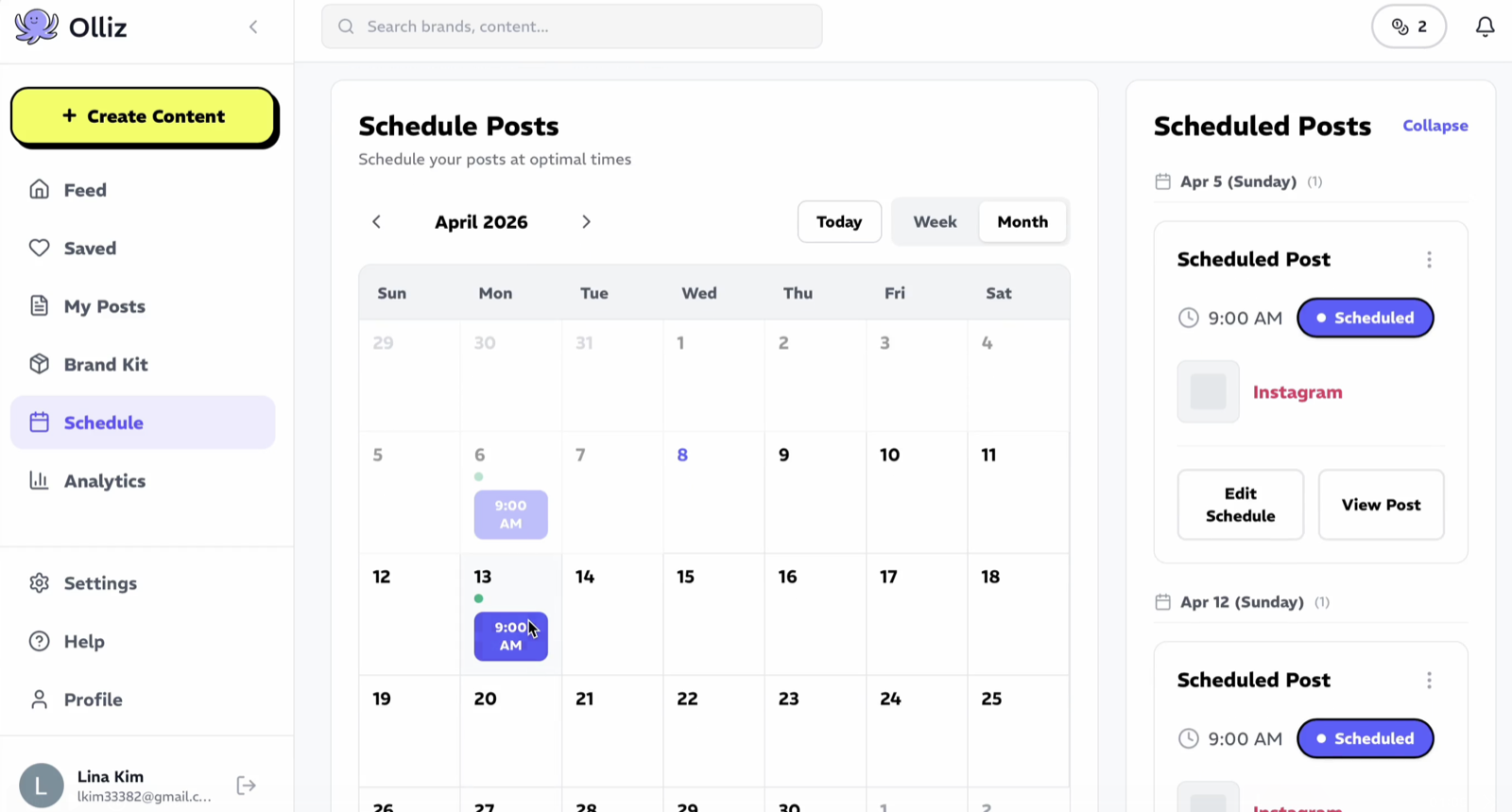
Schedule
Approved content still had to leave the platform to get published. It was exported, re-uploaded, and scheduled somewhere else, which is where the time savings quietly disappeared.
So scheduling sits directly beside creation. A calendar view shows what is queued across every channel, making campaign pacing visible while there is still time to change it.
Design Validation
Olliz hasn't launched publicly, so usability testing carried the weight live metrics normally would. Two tests changed the product before release.
Test 01
AI Feed vs. Generate from Brand Kit
Test
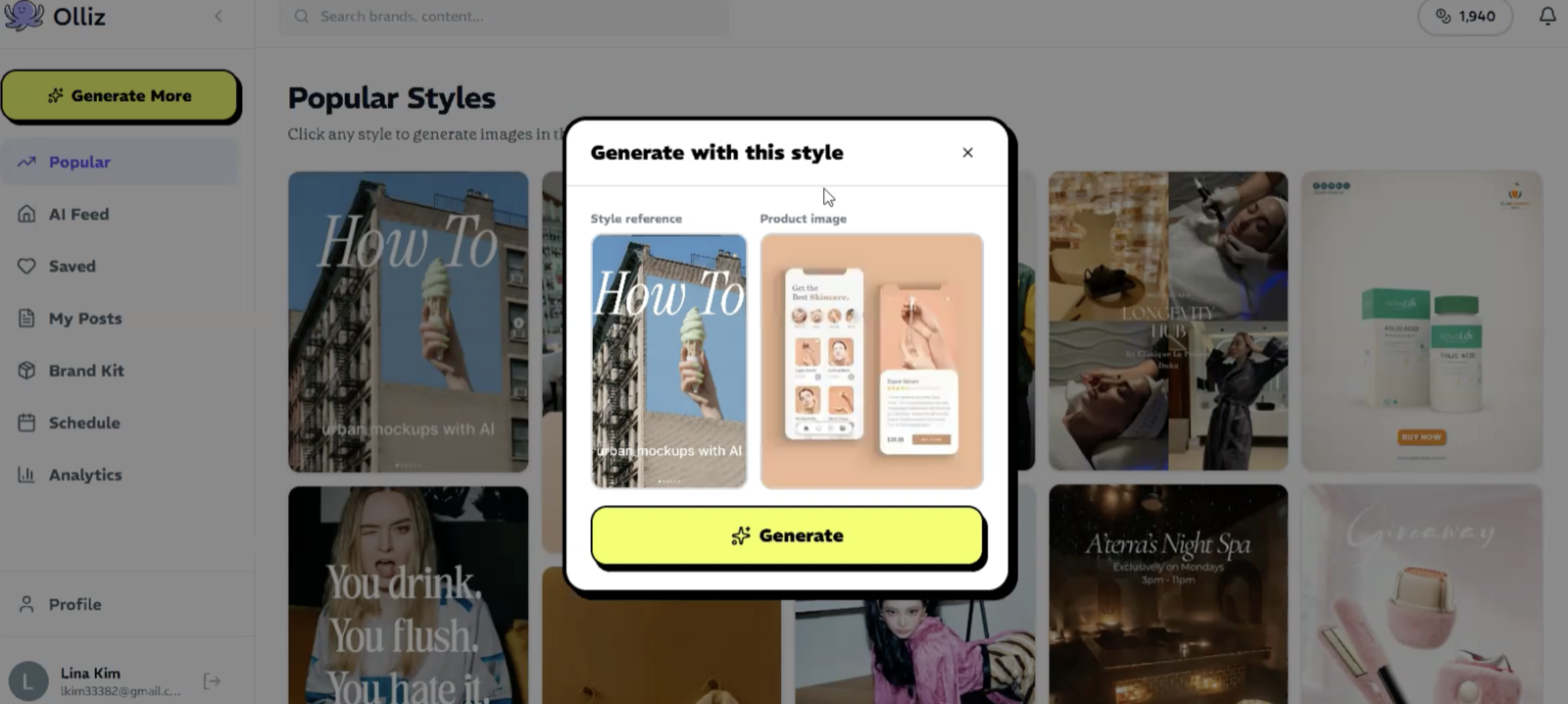
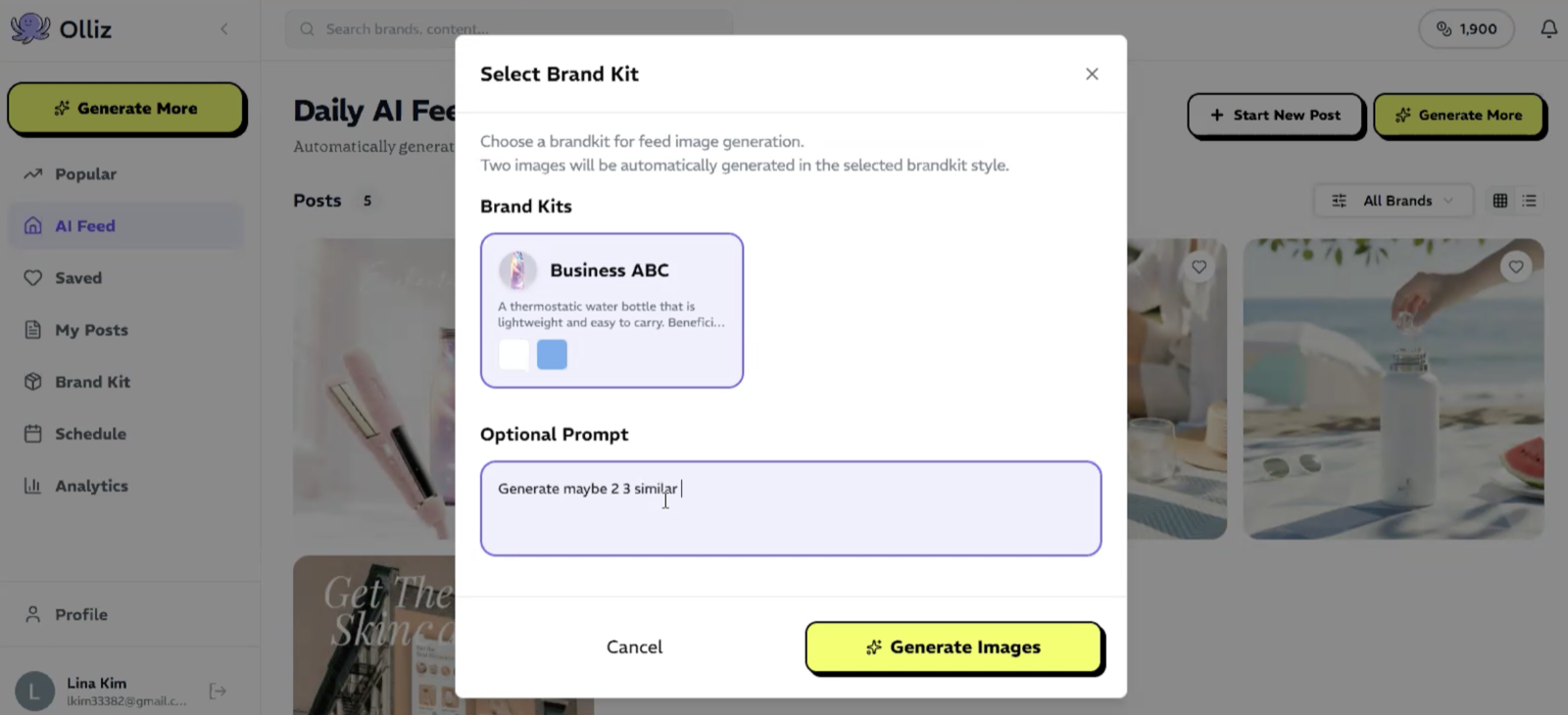
Two entry points for the same job: pick a ready suggestion out of the AI Feed, or set up a Brand Kit first and generate images in that kit's style.
Finding
The two paths suited different moments. The feed carried users who hadn't decided what to make yet; generating from a Brand Kit suited users who already had a direction and wanted it applied consistently.
Decision
Keep both and make the feed the default landing surface, with Brand Kit generation one step in, so the product opens with a suggestion, not a setup task.
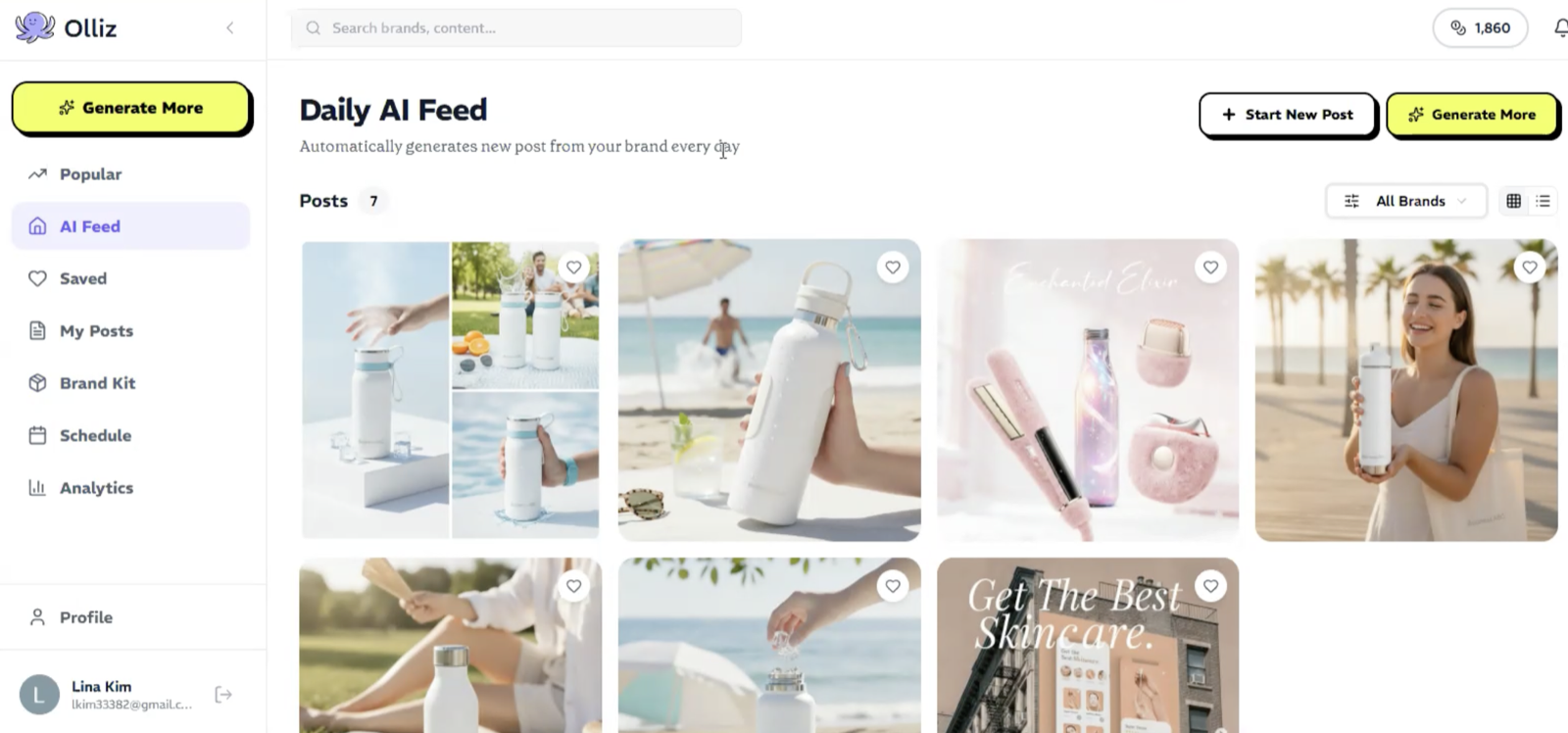
AI Feed: start from a suggestion
Generate from Brand Kit: images produced in the saved kit's style
Test 02
Landing Page Optimization
Test
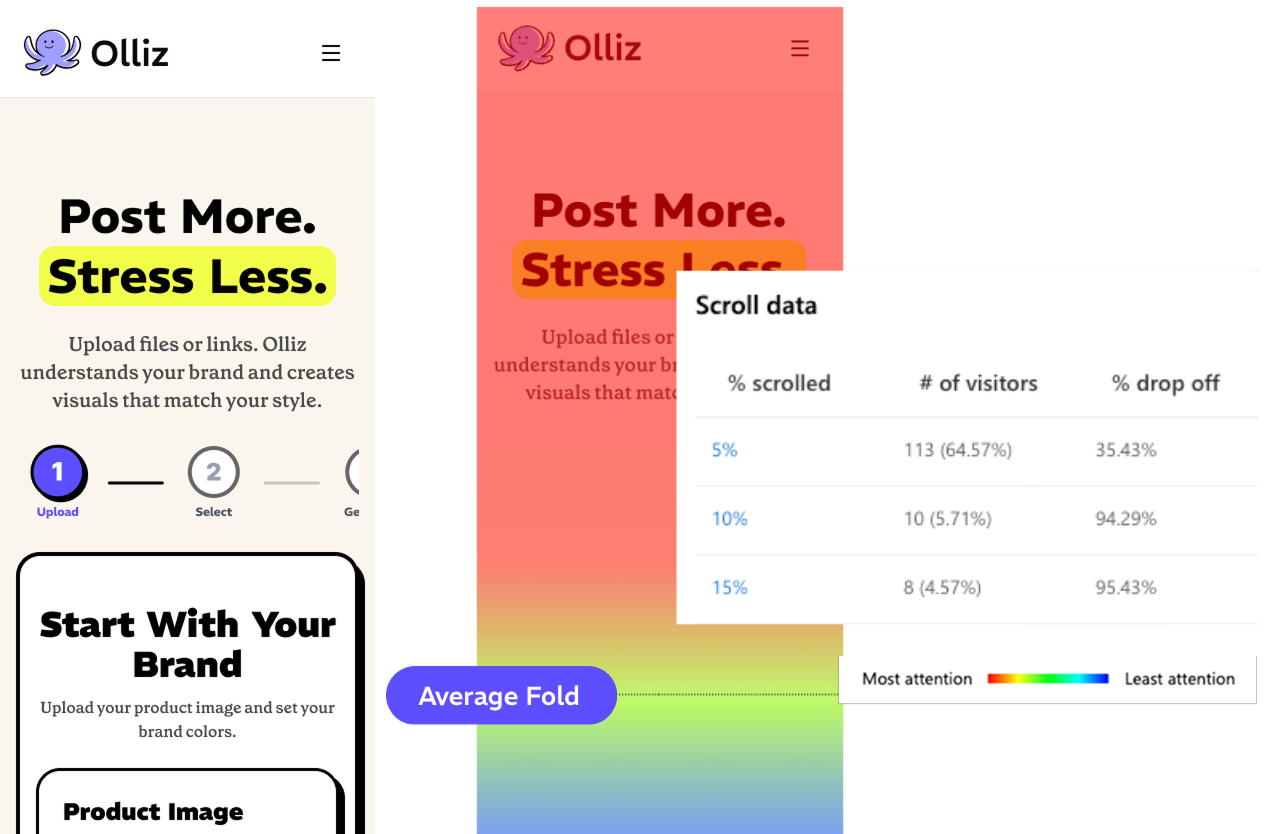
A scroll and attention study on the landing page, tracking how far visitors actually got before leaving.
Finding
Almost nobody made it past the fold. Only 5.7% of visitors reached even 10% of the page, and everything explaining the product was sitting below the point where they left.
Decision
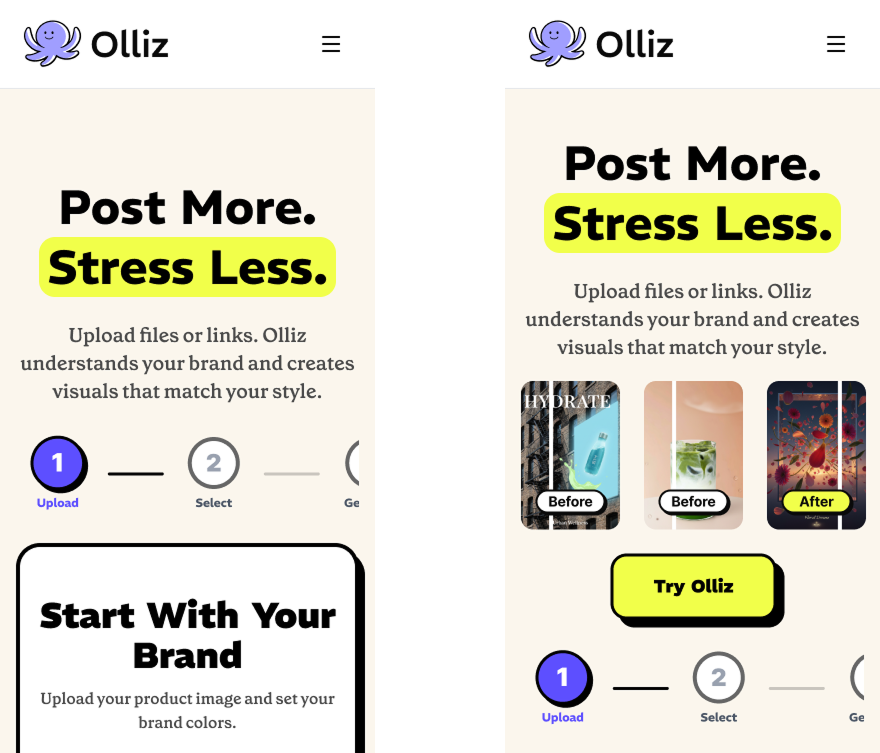
Move the proof up. Sample before/after output and the primary CTA now sit above the fold, so the page shows what Olliz makes before it asks for anything.
Scroll heatmap & drop-off data
Sample output moved above the fold
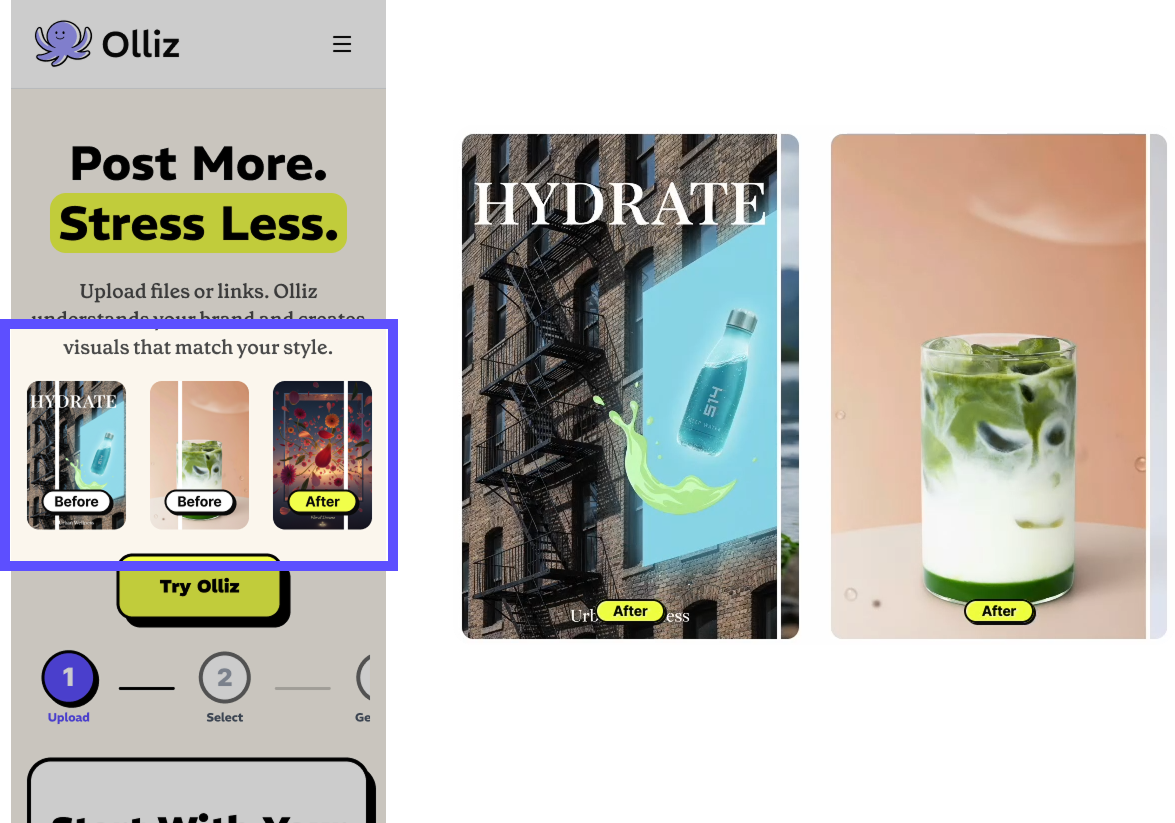
Landing page: before and after
Final Solution
Four surfaces carry the workflow end to end: find a direction, generate daily, stay on-brand, publish.
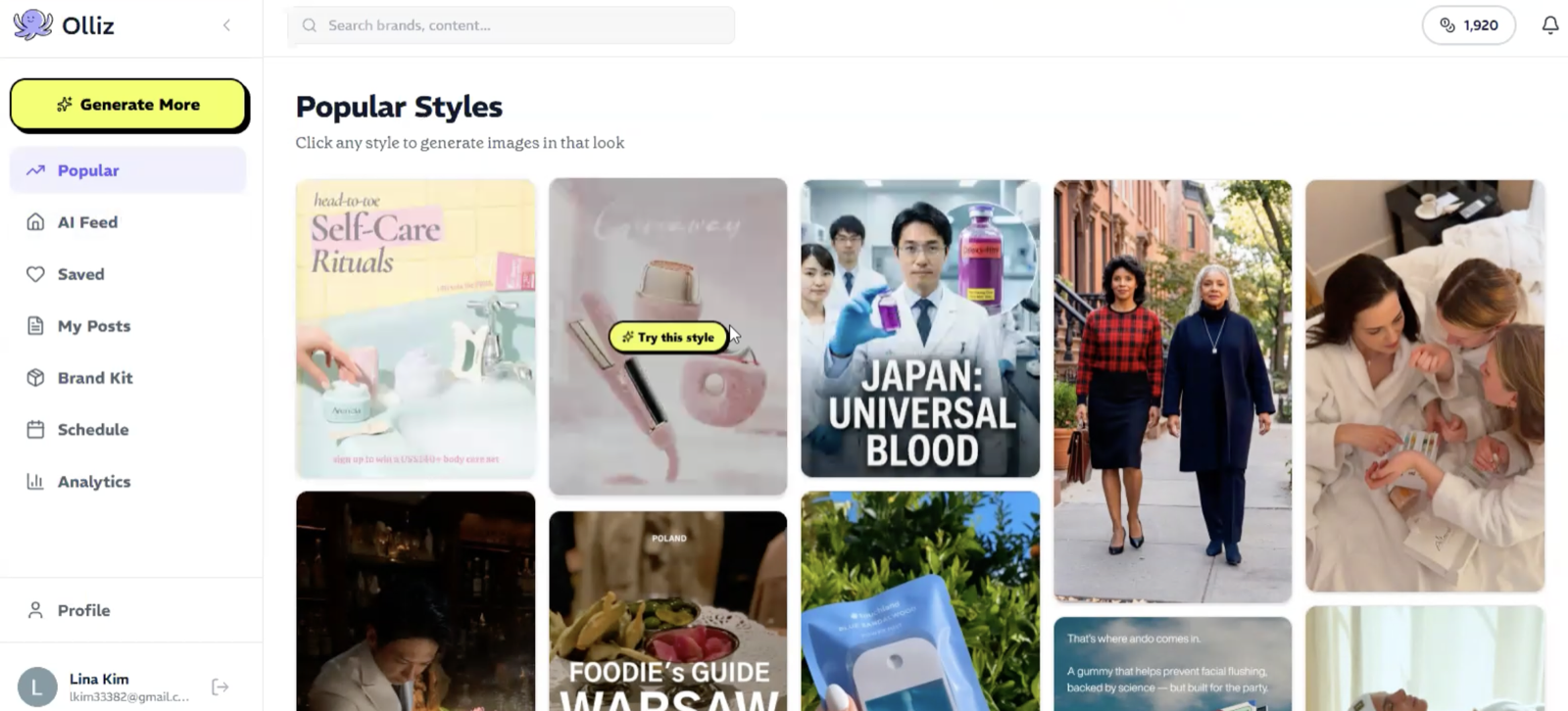
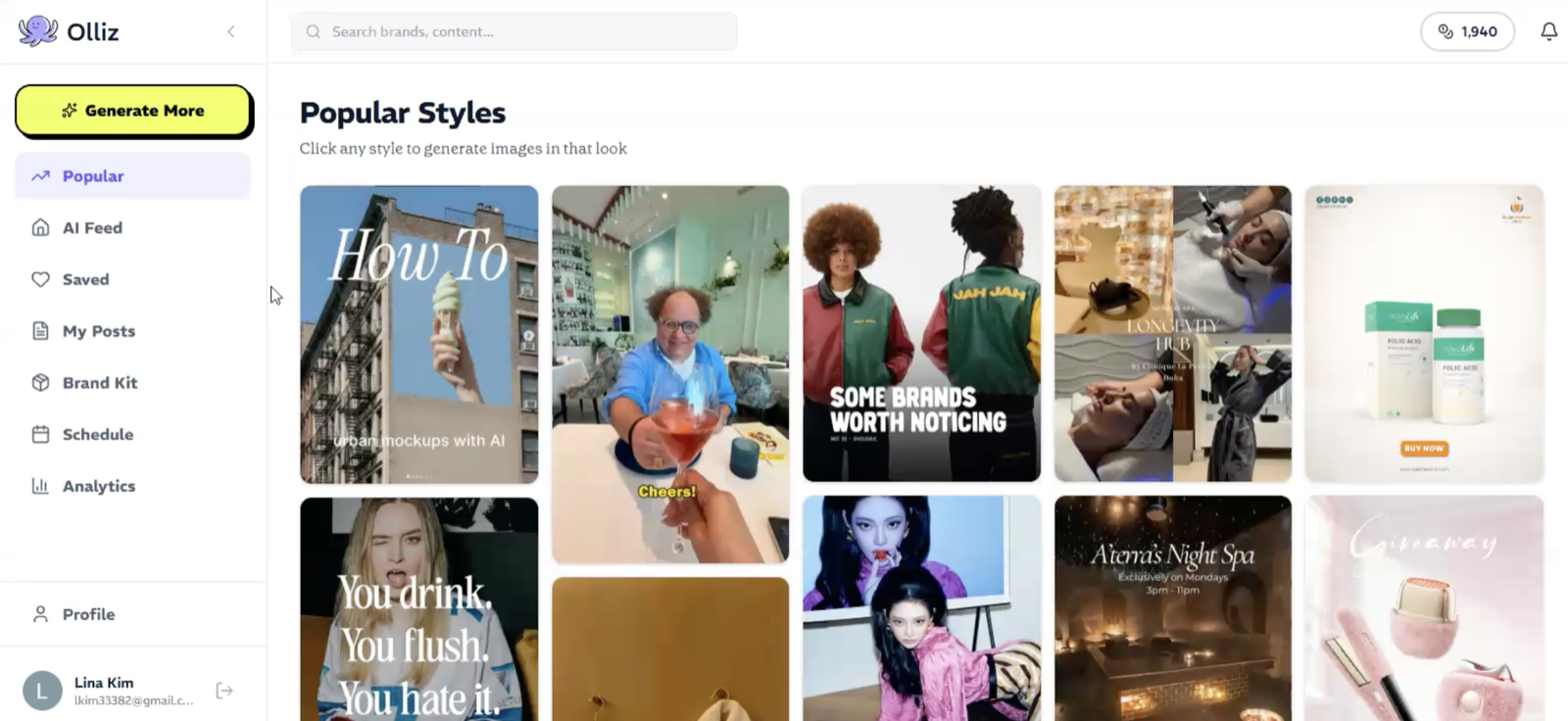
Popular Styles
A gallery of the looks other brands are working in. Clicking one generates images in that style, the shortest path from “something like this” to a finished post.
AI Feed
New posts generated from the brand every day, so the queue is never empty. Users arrive to work worth reviewing instead of a blank composer.
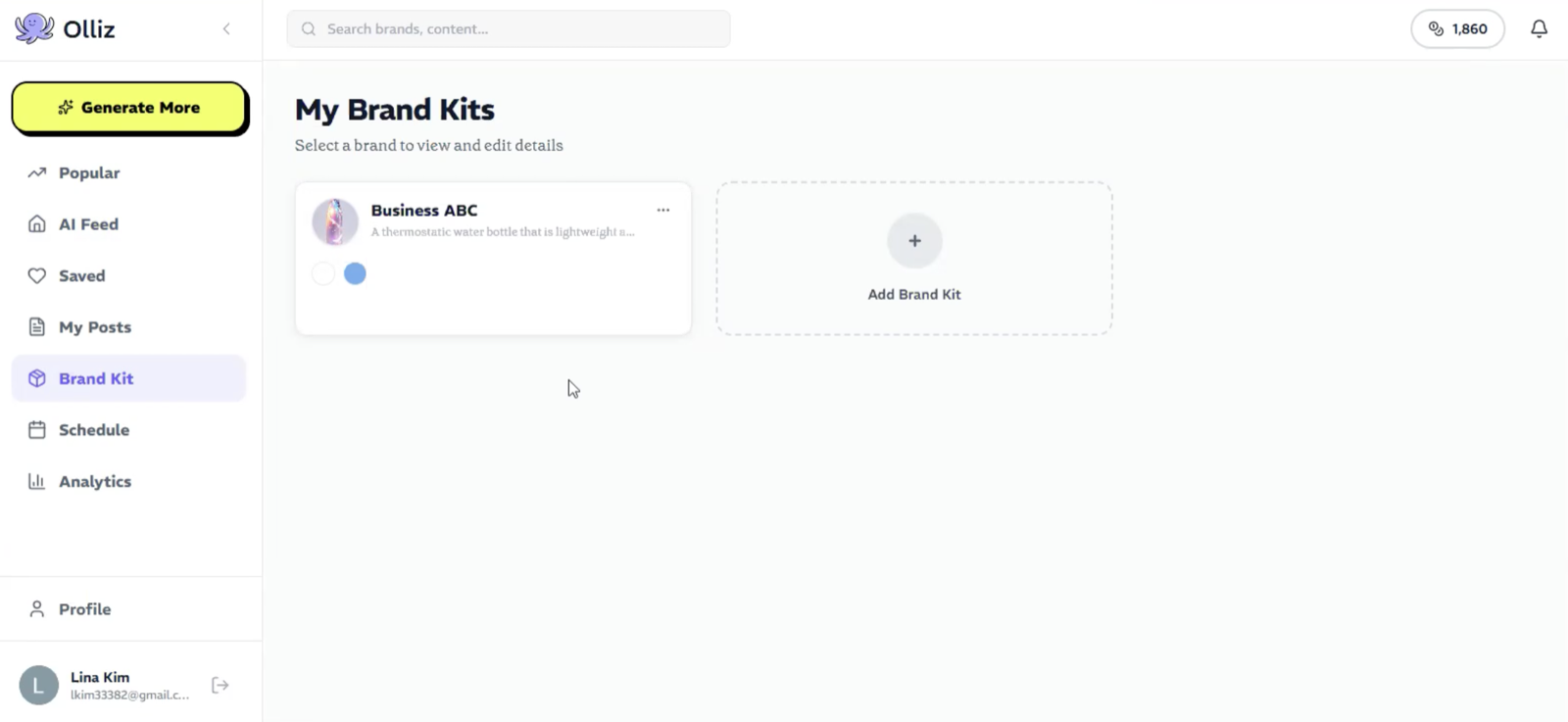
Brand Kit
Logos, colors, type, and tone in one place, doubling as the context layer every generation reads from. Adding a brand takes one card.
Schedule
Publishing sits beside creation: a calendar of what's queued across channels, with each scheduled post editable in place.
Design System
A token-based foundation and component library that let engineers ship new AI surfaces without redesigning them each time.
Foundations
Components
Reflection
Designing AI products isn't about increasing automation.
It's about helping people make better decisions while keeping trust and control. The features that tested best were the ones that gave users a place to start and an easy way to say no.
Validating early mattered more than designing more: two tests reshaped the product's entry point and its first impression, both before a single user arrived.
Launch Readiness
🚀 Launching soon
With launch ahead, we defined the metrics that will tell us whether the workflow actually holds up, so the product can be measured from day one rather than reconstructed later.
Future metrics
More Work
© 2026 Lina Kim